

Book an appointment online
Choose a service, provider, and time, then check your booking status.
Open the profile of a business that takes online bookings, or use the booking link the business sent you.
Choose a service and time
Section titled “Choose a service and time”- Choose the booking action or select a service from the list. Check its price and duration.
- Choose a provider if that option is available, then pick a day and an available time.
- Sign in if prompted and return to the booking you started.
- Review the summary and submit the request. Wait for the result.
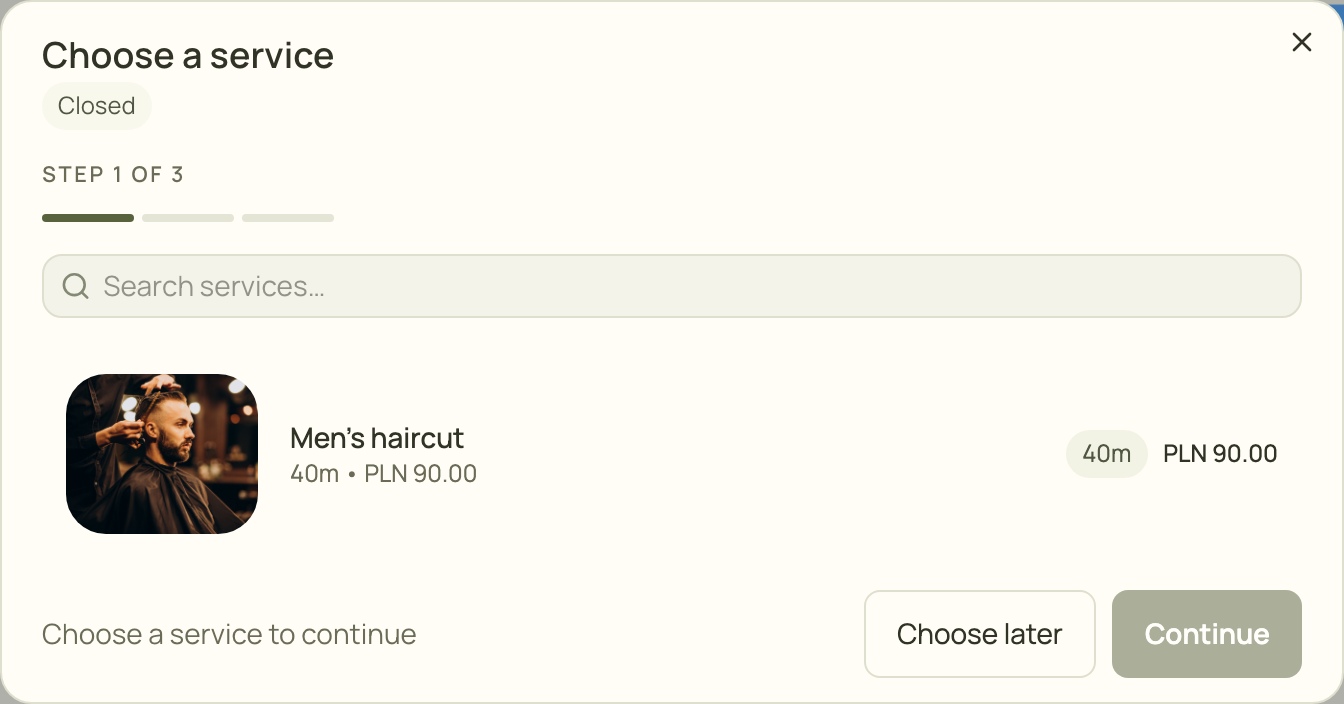
- Search the business’s service list.
- Check the duration and price, then select the service.
- Continue is disabled until you choose a service.
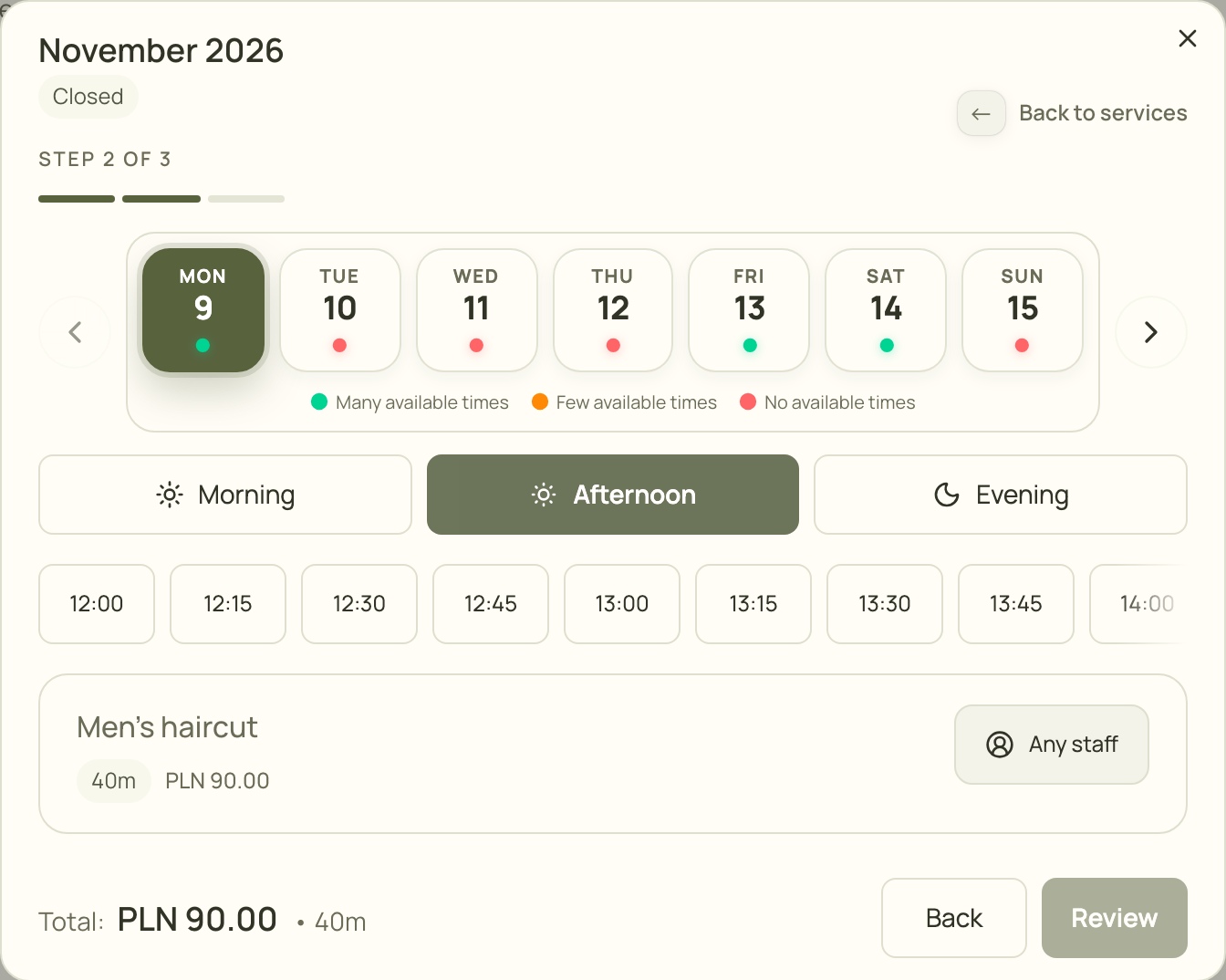
- Choose a day with available appointments.
- Change the time of day to see other times.
- Choose an available time.
- Select a staff member if you have a preference.
Check whether the appointment is confirmed
Section titled “Check whether the appointment is confirmed”Open My appointments after submitting. A confirmed appointment has been accepted. A pending appointment is still waiting for the business to confirm it.
If the time becomes unavailable
Section titled “If the time becomes unavailable”Choose a different time or day. If you are unsure whether the request was saved, check My appointments before trying again.