

Add and edit services
Set the name, price, duration, and who provides each service.
A service defines what customers can choose when booking. Its duration determines whether it fits an available period in the schedule.
Add a service
Section titled “Add a service”- Open Services and choose the action to add a new service.
- Enter a name and complete the required details, including the duration and price. Add a description, image, or color if it helps distinguish the service.
- Save and check that the service appears in the list. Assign the person who will provide it.
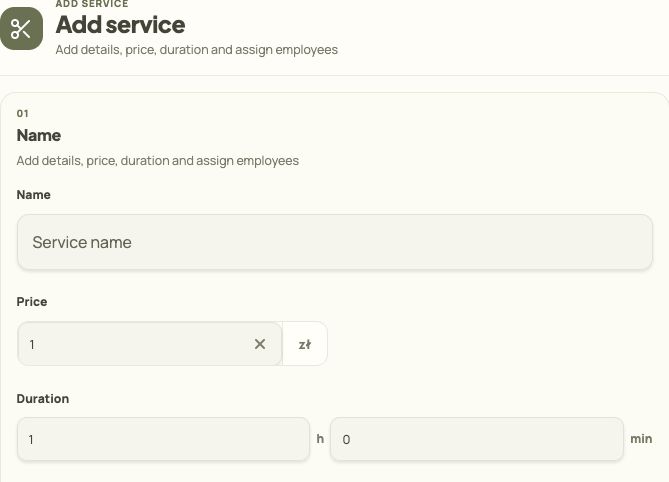
- Enter the service name customers will see.
- Set the price.
- Enter the duration in hours and minutes.
Change an existing service
Section titled “Change an existing service”- Open the service and choose to edit it.
- Save and reopen its details. Check the values and providers, then compare what appears in the customer view.
If the service is visible but has no times
Section titled “If the service is visible but has no times”- Check assigned providers, their availability, and any exceptions.
- Compare the length of the available period with the service duration.